About

Computer Software is Your Friend is a multi-author blog that aims to help computer users with day to day issues, along with providing relevant news, quick tricks and tips to people who request them.
Showing posts with label Email. Show all posts

Microsoft Casts a new Outlook on Email and Much More

Tuesday, August 14, 2012

Microsoft released Outlook.com, a new email service for people to use and a new interface for existing Hotmail users. It feats streamlined integration with Contacts (People), SkyDrive and Calendar and coexists comfortably with the Social Networks you connect. The new branding and theming of Outlook.com, which can be used by current Hotmail users, is reminiscent of the interface of Windows 8.

Check if you've got the Flashback Trojan with this Handy Tool

Tuesday, April 10, 2012

It very rarely happens that the Mac Operating System is hit by viruses, if at all. The latest flavor seems to be something called the Flashback Trojan. What this Trojan does is modify the hosts file to redirect the Mac machine to fraudulent servers allowing the collection of sensitive information and data. According to Doctor Web there are around 550,000 Macs infected with the Flashback virus. Doctor Web later on tweeted a correction, saying that there are actually 600,000 Macs infected. Now, what can you do about it?


Thankfully, the Flashback Trojan, to our knowledge, does not cripple your system so it should be easy to remove the virus, even if you're not technologically inclined.


To check if you've got the Trojan, download the Flashback checker tool here. Unzip the file if necessary and run it.


Hopefully, if you don't have the virus you should see this:


Upon seeing this, it will be clear to you that you do not have the Flashback Trojan.


I ran the scan and it appears that I am infected. What do I do?


If your computer has been infected, you will need to open up Terminal. This can be found in the Utilities folder under Applications. You will need to manually remove the infection. You will need to carefully follow the instructions for removing the infection at F-Secure


How can I prevent myself from attaining viruses in the future?


Turn off Safari's auto-open command
In Safari, go to the General section of the preferences and uncheck the option to "Open safe files after downloading." Safari may not open applications, but when checked it will open documents and media that may contain malicious executable code. It is recommended that this option is disabled/turned off.


Install an Antimalware/Antivirus Solution
Many Antivirus companies that provide solutions for PC also provide solutions for Mac. These solutions include Norton, McAfee and even AVG. It is always recommended that you have an Antivirus/Antimalware solution running at all times, not only for your safety, but also for the safety of others.

Never trust a program
If something asks you to install an item on your system, shut it down and confirm the source of the item. Only install programs on your system if you know exactly where they came from.

Facebook buys Instagram

Monday, April 9, 2012

Instagram, the photo filter sharing wonder that started under two years ago. Instagram started with 4 employees and 0 users. To this day there are more than 150 billion photos shared and over 7 million users.

In the next few days, Facebook Inc. is set to buy the social media network for 1 billion dollars. For a network that has no significant source of revenue, that has become this infectious and still growing as we speak.

By buying Instagram, Facebook Inc. has not only eliminated a huge competition potential, but has also acquired the chance to implement the Instagram filters within it's own iOS and Android apps, but also it's website's image uploading sequence.

With every acquirement, there's always the fear of change. Instagram users enjoy the way the apps work and enjoy their ecosystem of sharing. Upon arrival of this upsetting news, there are various services that have appeared that permit users to export their Instagram image library for instant download. There is still no news on whether Facebook intends to change anything or even take down the Instagram network completely, but we're interested to find out.

We're also interested in some feedback. Do you guys think Facebook's going to change anything or is there belief that they will leave the network untouched? Leave your comments in the section below.

Windows 8 Consumer Preview in Review: The Apps

Tuesday, March 13, 2012

Screenshot (10)_thumb[2]

The app store for the moment is lacking and doesn’t contain much but with a Visual Studio Beta program and knowledge of a combo of either Java and Html or C# and XAML, you can easily write apps for the program. But for now, let’s explore what we have!

A Quick Look at OS X Mountain Lion

Sunday, March 4, 2012

Apple will be releasing Mountain Lion, the successor to Lion this summer and have given developers and people who go to their site a sneak peak. From its pre-beta stage, Mountain Lion inherits many new features – mainly from iOS. Here are some of the highlights.


iPhone 4S and iPad 2 Untethered Jailbreak Released!

Monday, January 23, 2012

As you may have already known, a Jailbreak "Dream Team" was compiled in order to complete the A5 (iPhone 4S and iPad 2) Untethered Jailbreak. Well, guess what guys? They finally finished it after we waited for so long with baited breath.

There has been quite a bit of anticipation for the jailbreak, especially after the iOS 5 A4-and-less unthethered jailbreak was released. Now, here it is, the iOS 5, A5 Unthered Jailbreak. Pristine in all it's glory, Absinthe. 

You can download Absinthe for Windows: [Direct Link]

Absinthe for Mac is available for download: [Direct Link]


Alternatively, if a guide is necessary, follow this one written up by CydiaHelp.


Although I do not own an iPhone 4S, or any iPhone to begin with, or an iPhone, I'd like to give a big thanks and congratulations to all the members of the iOS 5 A5 JB Dream Team.


Thank you Joshua Hill, aka @p0sixninja


Thank you @pod2g


Thank you Nikias Bassen, aka @pimseks


and last, but most definitely not least, thank you Yiduo David Wang, aka @planetbeing


Thank you for all your time and effort put into this jailbreak and congratulations on the huge improvement. We hope all this work does not go to waste and is fixed in the next iOS release. Good luck on all your future endeavours!

Triple Booting Windows, Mac OS X and Ubuntu

Saturday, January 21, 2012

Ever wanted to have all three different worlds on your computer at your fingertips? Or did you ever want to have a computer that only has Mac OS X and Ubuntu? Don’t hold your breath, it’s possible! Here’s how.

iPhone 4S Untethered Jailbreak Update

Sunday, January 15, 2012

As you guys might have heard, there's an iOS 5 Jailbreak "Dream Team" that's been assembled that consists of @planetbeing, @pod2g, @MuscleNerd, and @p0sixninja.

The guys at Dream Team JB iOS5 have really been focusing in the past few days/weeks on the A5 Jailbreak and it seems they put more work into it than they would in a 40 hour a week daytime job!

Let's get to the point. The iPhone 4S is JAILBROKEN! Yes, the iPhone 4S finally has an untethered Jailbreak. Here's a video demonstration:


Now, I assume, all that's left is to compile the jailbreak method into an easy to use and simple jailbreak tool.

Happy waiting!


A Must Have in Notification Center Tweaks [Jailbreak Tweaks]

Sunday, January 8, 2012

There are quite a few Notification Center tweaks out there, some I'm fond of, and others not so much. But there's one I would definitely recommend to novice and advanced jailbreakers out there. This particular tweak is named Omnistat for Notification Center.

The tweak provides an at a glance display of useful and commonly searched-for information. Here are some screenshots:

Tapping the R.A.M. Pie Chart will free up as much space as possible without interfering with apps running in the background


Considering the iOS 5 Battery Percentage just won't show even if checked off in redsn0w, here's a good alternative :)


Tapping the "Wifi logo" will bring up a menu that allows you to turn on/off: Airplane Mode, Wifi, Bluetooth, and Location
Tapping the power button will allow you to: Kill BG Apps, Restart Springboard, Reboot and Shutdown


There's not much to do in this page except for view running processes and copy your UDID. This page would be most useful for iOS developers.


Swiping left or right will change the display from page to page. OmniStat for Notification Center is available from the BigBoss repo (a default repo for Cydia).

Happy Tweaking!


iOS 5 Untethered Jailbreak

Saturday, December 31, 2011

It was a few days ago that the iOS 5 untethered jailbreak was was released both as a bundle from greenpois0n AND redsn0w (sorry sn0wbreeze, get with the program.)

This jailbreak is available thanks to @pod2g and his dedicated time and work done on this exploit.

Along with the chronic-dev and iPhone-dev team releases, the corona release is also available from cydia. (no need to re-jailbreak my friends ;) ).

You can jailbreak with either greenpois0n or redsn0w:
redsn0w: http://blog.iphone-dev.org/tagged/redsn0w
greenpois0n: http://greenpois0n.com/?p=150

The process should be clearly explained within the apps but feel free to contact me at nolet.brandon@gmail.com if there are any issues.

Another method (redsn0w users only) that is possible is directly through cydia. Go to Cydia and search for "corona".

I advise restoring then rejailbreaking your iDevice just because it would give a clean slate. But it's not completely necessary.

Note: This jailbreak is only available for pre-A5 devices (iPhone 4, iPod Touch 4G, etc.) with iOS 5/5.0.1

Happy Untethered Jailbreaking!!


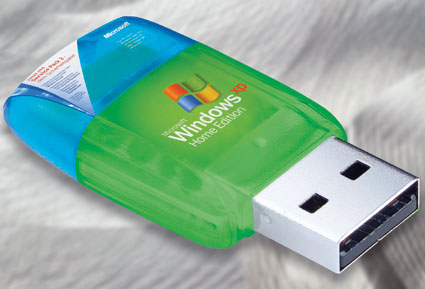
Use a USB Key to Install Windows on Any System

Friday, December 30, 2011

Putting the Windows installation on a USB thumb drive has a few advantages—a small USB key is much more convenient to carry around than a DVD. The Operating System will install much faster, and you can use a USB key to install Windows on systems that do not have a DVD drive, such as a netbook. All it requires is some work in Command Prompt and your USB will be Windows installation ready.


Don’t put the USB drive in yet, that will come later.


First, you’ll need to make sure that you have DiskPart utility on the system, it comes free with Windows, but if you don’t have it, you can download DiskPart here.


If you are using Windows XP, it is advisable that you run Command Prompt and type the following and hit enter to run it.

DiskPart

Otherwise, for Windows Vista and Windows 7 users, launch the DiskPart utility by typing diskpart in the Start Menu.


Now, run the list disk command by typing the following in Command Prompt and hit enter to check the status of your drive.

list disk

You will see all of your drives but the USB which is handy because you will run list disk again after inserting the USB.


[image%255B4%255D.png]


[image%255B9%255D.png]


Now run select disk 1 by typing the following and hit enter where the number is the corresponding number of your USB drive.

select disk 1

Then you will clean the disk by typing the following and hitting enter. This will erase everything off the disk in the process.

clean

Now, you can run create partition primary by typing the following and hitting enter.

create partition primary

Make the partition active by typing the following and hitting enter.

active


[image%255B15%255D.png]


Next comes the file system, type the following and hit enter.

format fs=fat32 quick

OR

format fs=ntfs quick

Next, you need to be able to access it from Windows Explorer by assigning it a drive letter. Type the following and hit enter.

assign

[image%255B23%255D.png]


Now, go to Windows Explorer, and copy the contents from the Windows setup disk to the USB. You can do so by dragging and dropping. You can close Command Prompt and DiskPart since the USB is now complete.


Once the copy is done you can eject the USB and use it to install on other systems. To boot off the USB, at boot, hit whatever key it says will run set up. Once you are in the BIOS, you will go to Disk Priority, a small exploration won’t hurt and set the removable disk to first priority. If that doesn’t work, then you will look for the hard drive priority and make the USB priority over the main – the USB will be recognized as a hard drive. Once the install is done, or it reboots, enter the BIOS setup again and reverse what you did and let the rest of the setup and the Operating System finish installing itself and run on its own.

iPhone 4S Untethered Jailbreak Looks To Be A Go!

Monday, December 19, 2011

Earlier today pod2g, an iOS "Hacker", reported that he was close to untether jailbreaking the iPhone 4S but was having issues.

"The untether fails right now because I'm having processor cache issues.

I'm close, but I can't figure out what happens. It certainly has something to do with the Cortex-A9 cache management.

I could sort it out quick, it's a matter of chance."

Now, things seem to be looking up as he notes in his latest blog post:

"OK, figured it out, the A5 cache is not a problem anymore.
I sorted it out by doing the untether in a single thread and by flushing all the dcache then all the icache in a row at a strategical point of the process.

It took me like a hundred of tests to find the key. Hard for the nerves."


Congratulations pod2g, you're a huge hero.

Stay tuned for more information on the iOS 5 Untethered Jailbreak

iPhone/iPod Touch Backgrounds 2 [Download]

Saturday, December 3, 2011

A few weeks ago, what was started was a series of iPhone/iPod Touch backgrounds
(sets of ten) that were available for download and selected by yours truly. Here is the second installment of the series.

http://fileape.com/dl/mPKaCIkuV7b8vnpZ

Happy Backgrounding!


Combining Tabs in Safari on Mac to Be More Productive

Saturday, November 26, 2011

You ever find yourself with multiple windows in Safari an you just feel so cluttered? What about when you just get home from work and you want to take a quick check at your favourite news outlets before you get to making supper? Well our buddy, Freedom McFlyy, has compiled a video showing you how to organize and 'productivize' yourself.

Here's his video:


So there you have it, we look forward to presenting you with more Mac tips in the future!


iPod/iPhone Backgrounds Selection 1 [Debut]

Thursday, November 24, 2011

Here at CSIYF, we're passionate about the backgrounds we use and I've compiled a big selection of my favourite iOS backgrounds. Over the next few months or so, I will be uploading a batch of 10 backgrounds at a time.

As a debut, I have already uploaded 10 and you can download them here.

We at CSIYF hope that you will enjoy these backgrounds as much as I do.

Happy Backgrounding!

New Feature Found In iOS 5: Panorama Camera Mode [Update: It's up!]

Monday, November 7, 2011

In the early days of the iOS 5 beta, there were bits of code that showed a panorama feature. Now, Conrad Kramer has found a way to enable this feature.

 Why this wasn't added in the original iOS 5 release? We have no idea. However, Conrad intends to release a tool (jailbreak tweak) that would allow any user to easily enable it:


Here are a few screenshots:


and here's the image taken in panorama mode:


Note: The jailbreak tweak has now been released. It is called firebreak and is available in the BigBoss Cydia repository.

sn0wbreeze Jailbreak Works With iBooks :)

I've been trying to get an alternative to iBooks for quite a while. While I found a way by using BlueFire, unfortunately, it required me to SSH the files over to my iPod and move them around using iFile. However, iH8snow, seems to have found a way to get iBooks working in perfect fashion (without using some complicated method). He has implemented the fix in his latest of jailbreaks into sn0wbreeze which would require you to do a restore with a custom IPSW made by the tool.

Here's a demonstration:


Features Apple Could've Implemented in iOS 5 (But Didn't)

Wednesday, October 19, 2011

As I delve into my usage adventure of the update to the iDevice software iOS 5, I seem to find little features that could have made iOS 5 just a bit better. Here's my list:


  • Multiple voices for Siri, the iPhone 4S vocal aided assistant
  • Ability to launch apps from the notification center (Aka, some sort of favouriting system)
  • Facebook integration as well
  • Tweeting from the notification center
  • Colored "Reminders" lists
  • Color custimization
  • Icons that represent certain "waiting" notifications, in the status bar
These are just a few improvements that could be added, but I'm sure there are much more.

Happy iOS 5'ing


Windows 8, iTunes, and your iDevice

Friday, October 14, 2011

There have been numerous complaints that people's iDevices aren't working with Windows 8+iTunes and I have experienced the same thing. iDevice is detected, but doesn't show up in Windows or in iTunes. This could be due to driver errors that could occur during operation due to incompatability. I believe I've found a fix.

iOS 5 is officially out for update and restore! [Update: iOS 5 GM]

Wednesday, October 12, 2011


iOS 5 Software Update

Update: If you have loaded your iDevice with iOS 5 GM, you will be unable to upgrade to the official release as it will read as the "current version". There are no "feature" changes between the two, but I'm sure performance tweaks and bug fixes were applied.

This update contains over 200 new features, including the following:

Notifications
Swipe from the top of any screen to view notifications in one place with Notification Center
New notifications appear briefly at the top of the screen
View notifications from lock screen
Slide the notification app icon to the right on the lock screen to go directly to the app

iMessage
Send and receive unlimited text, photo, and video messages with other iOS 5 users
Track messages with delivery and read receipts
Group messaging and secure encryption
Works over cellular network and Wi-Fi*

Newsstand
Automatically organizes magazine and newspaper subscriptions on Home Screen
Displays the cover of the latest issue
Background downloads of new issues

Reminders for managing to do lists
Syncs with iCloud, iCal and Outlook
Location-based reminders when you leave or arrive at a location for iPhone 4S and iPhone 4

Built-in support for Twitter
Sign-in once in Settings and tweet directly from Camera, Photos, Maps, Safari and YouTube
Add location to any tweet
View twitter profile pictures and usernames in Contacts

Camera improvements for devices with cameras
Double click the home button when device is asleep to bring up a camera shortcut on iPhone 4S, iPhone 4, iPhone 3GS and iPod touch (4th generation)
Volume Up button to take a picture
Optional grid lines to line up shots
Pinch to zoom in the preview screen
Swipe to camera roll from preview screen
Tap and hold to lock focus and exposure, iPad 2 and iPod touch (4th generation) only support exposure lock

Photo improvements for devices with cameras
Crop and rotate
Red eye removal
One tap enhance
Organize photos into albums

Mail improvements
Format text using bold, italic, or underlined fonts
Indentation control
Drag to rearrange names in address fields
Flag messages
Mass mark messages as flagged, read or unread
Customize mail alert sounds
S/MIME

Calendar improvements
Year view on iPad and new Week view for iPhone and iPod touch
Tap to create an event
View and add event attachments

Game Center improvements
Use personal photos for your Game Center account
Compare your overall achievement scores with your friends
Find new Game Center friends with friend recommendations and friends of friends
Discover new games with custom game recommendations
AirPlay Mirroring for iPad 2 and iPhone 4S
Multitasking Gestures for iPad
Use four or five fingers to pinch to the Home Screen
Swipe up to reveal the multitasking bar
Swipe left or right to switch between apps
On-device setup, activation and configuration with Setup Assistant
Software updates available over the air without tethering


iCloud support
iTunes in the Cloud
Photo Stream
Documents in the Cloud
Apps and Books automatic download and purchase history
Backup
Contacts, Calendar, and Mail
Find My iPhone
Redesigned Music app for iPad
Hourly weather forecast
Real-time stock quotes
Wireless sync to iTunes
Keyboard improvements
Split keyboard for iPad
Improved autocorrection accuracy
Improved Chinese and Japanese input
New Emoji keyboard
Personal dictionary for autocorrection
Optionally create keyboard short cuts for frequently used words

Accessibility improvements
Option to light LED flash on incoming calls and alerts for iPhone 4S and iPhone 4
Custom vibration patterns for incoming calls on iPhone
New interface for using iOS with mobility-impairment input devices
Option to speak a selection of text
Custom element labeling for VoiceOver

Exchange ActiveSync improvements
Wirelessly sync tasks
Mark messages as flagged, read or unread
Improved offline support
Save a new contact from a GAL service
More than 1,500 new developer APIs
Bug fixes

Products compatible with this software update:
iPhone 4S
iPhone 4
iPhone 3GS
iPad 2
iPad
iPod touch (4th generation)
iPod touch (3rd generation)

 
Computer Software is Your Friend © 2012 | Designed by Bubble Shooter, in collaboration with Reseller Hosting , Forum Jual Beli and Business Solutions